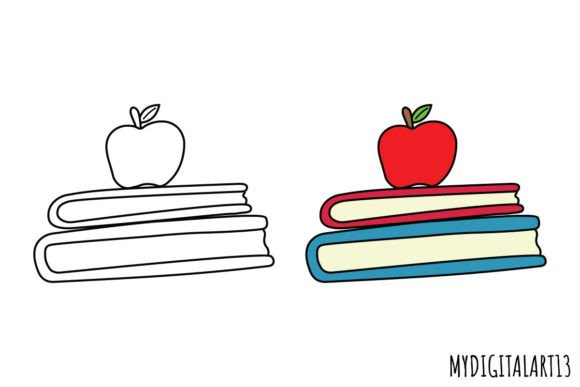
Backpack Clipart & Back to School Clipart
Whether you’re designing a welcome-back bulletin board for your third-grade classroom, launching a small business selling custom back-to-school planners, or crafting personalized stickers for your child’s lunchbox, Backpack Clipart and Back to School Clipart deliver immediate visual clarity and creative flexibility. These aren’t generic school-themed graphics — they’re purpose-built assets designed to integrate seamlessly into real-world projects without extra editing, resizing, or background cleanup.
Why Transparent PNGs Make a Practical Difference
All images arrive in PNG format with a true transparent background — no white borders, no jagged edges, no guesswork. That means when you drop a backpack clipart onto a pastel-colored invitation or layer it over a textured scrapbook paper scan, it sits naturally, not like a sticker awkwardly pasted on top. This transparency isn’t just convenient; it eliminates hours of manual masking in design software — especially valuable if you’re using Canva, Adobe Express, or even basic tools like Google Slides where advanced layering options are limited.
The 300 DPI resolution ensures crisp output whether you’re printing a large 12×12 scrapbook page or scaling down for a 2-inch sticker. Unlike low-res web graphics that pixelate under magnification, these files retain clean lines and smooth gradients at any size up to standard print dimensions — critical for educators preparing handouts or stationery designers creating letterpress-ready files.
Two Versions, One Smarter Workflow
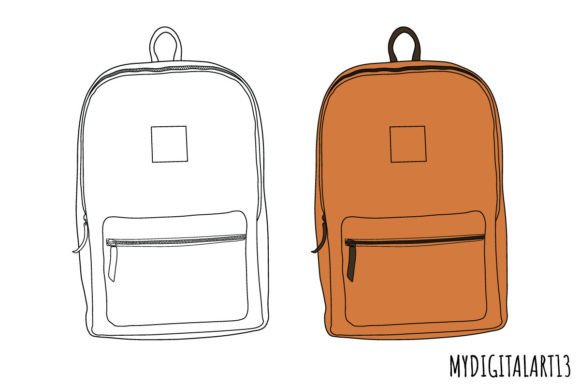
You’ll receive both a full-color version and a black-and-white version of each backpack clipart image. This pairing solves two common production challenges at once. The color version works instantly for digital newsletters, social media banners, or printable posters where mood and warmth matter — think a cheerful “First Day Countdown” graphic for a parent blog. The black-and-white version is ideal for coloring pages, embroidery patterns, laser-cut stencils, or monochrome printing (like school newsletter headers printed on budget-friendly B&W copiers). Having both in the same download avoids hunting for matching styles across separate sources — consistency stays intact, and version management stays simple.
Real Projects, Real Time Savings
A freelance educator building a summer learning packet for rising kindergarteners used the backpack clipart to label activity sections: “Reading Backpack,” “Math Gear,” “Science Explorer.” Because the images were pre-cropped and transparent, she dropped them directly into her Word document alongside text — no need to adjust spacing or add white boxes behind icons. Her revision time dropped by nearly 40% compared to past projects using stock photos with backgrounds.
Similarly, a small-batch sticker maker sourcing designs for an August launch tested the same backpack clipart across three substrates: matte vinyl, holographic foil, and kraft paper. Thanks to the clean edges and high resolution, all versions printed cleanly — no halo effects or blurry corners. She avoided costly test runs and went straight to production.
Who Benefits Most — And Why It Fits Their Needs
Educators and curriculum designers gain efficiency when assembling editable resources. A single backpack clipart can become a consistent visual anchor across worksheets, slide decks, and classroom signage — reinforcing thematic learning without visual fatigue. Since the black-and-white version prints clearly on standard copy paper, it supports equitable access in schools with limited color-printing budgets.
Small business owners selling digital downloads (planners, calendars, lesson kits) find value in the dual-format delivery. They bundle the color version into premium PDFs and include the B&W file as a bonus for customers who want to customize or adapt for accessibility needs — adding perceived value without extra design labor.
Hobbyists and scrapbookers appreciate how easily these images layer with vintage paper scans, handwritten fonts, or watercolor textures. No more fighting clipping masks or mismatched line weights — the clipart was drawn with balanced stroke thickness and intentional negative space, so it holds its own beside hand-drawn elements.
Bloggers and content creators covering seasonal topics — from “10 Summer Learning Ideas” roundups to “Back-to-School Tech Tips” — use the images to break up dense text, signal section transitions, and reinforce tone. Because they’re not overly cartoonish or juvenile, they appeal across age groups: useful for parenting sites, teacher resource hubs, and even college-readiness platforms.
When to Consider Alternatives — And When This Is the Right Fit
These backpack clipart assets excel in projects where cohesion, speed, and print readiness matter most. They’re less suited for highly stylized branding systems requiring custom illustration or animated web use (they’re static PNGs, not SVGs or GIFs). If your project demands multiple poses — a backpack worn on the front, side, or open — you’ll need to verify whether the set includes those variations (most standard packs focus on classic front-facing views).
Also, while the 300 DPI resolution covers standard print needs, extremely large-format applications — like 24×36″ posters or vehicle wraps — may require vector files for infinite scalability. For 95% of classroom, craft, small-business, and home-use scenarios, however, this resolution strikes the right balance between quality and file manageability.
Thoughtful Integration Tips
Try pairing the black-and-white backpack clipart with a bold sans-serif font for modern classroom labels — the contrast creates instant readability. For invitations, layer the color version behind semi-transparent text boxes to soften hierarchy without losing visual impact. In digital scrapbooking, place the clipart on a mid-tone layer beneath patterned papers to prevent visual competition.
One subtle but effective practice: use the same backpack clipart across multiple touchpoints — a planner cover, a matching sticker sheet, and a printable checklist. Repetition builds recognition, especially for young learners or families navigating new routines. Consistency becomes part of the experience, not just decoration.
Final Thought: Tools Should Serve Your Goal — Not Define It
Backpack Clipart and Back to School Clipart work best when they disappear into your project — supporting your message, not distracting from it. Their value lies not in flashiness, but in reliability: predictable sizing, professional output, and thoughtful formatting that respects your time and intent. Whether you’re preparing for the first bell, launching a seasonal product line, or simply making everyday paper goods feel more personal, these assets meet you where you are — ready to layer, scale, print, and adapt, without friction.